Priority Moves & Speed Control — Another Way to Move First
Even if you lose the speed race, you can still act first. How to use priority moves, and when to use paralysis, Scarf, or Tailwind to control speed. (updated: 2026-07-22)
Speed can be taken by more than just stats
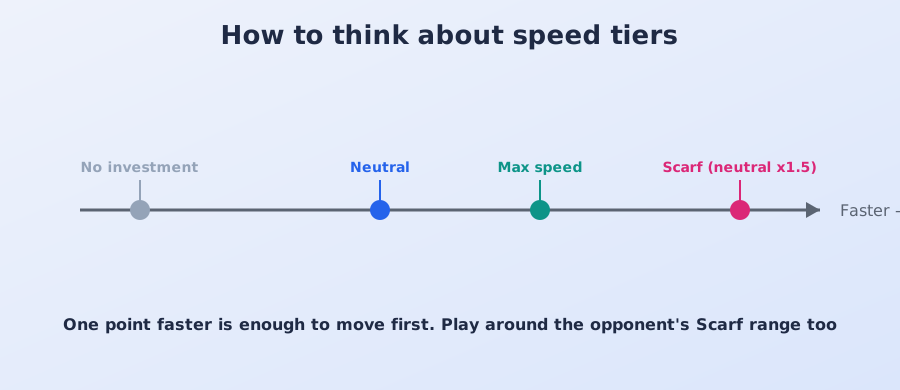
Whether you act first in a matchup has a huge effect on the outcome (see understanding speed tiers). But even when you're behind on raw Speed, priority moves and speed control let you act first anyway. Knowing these options widens what your team is capable of.
Priority moves: ignore turn order and strike first
Priority moves activate before regular turn order is even considered. They're mainly used in two situations:
- Finishing off a weakened opponent: cleanly knock out a Focus Sash survivor, or a low-HP fast attacker, before it can act.
- Breaking out of a bad speed matchup: even if the opponent is faster, a priority move stops you from simply getting hit first every single time.
That said, most priority moves have modest power, so you may need STAB or a super effective hit to finish the job. Checking whether a priority move can seal the KO in the damage calculator ahead of time is worth doing.
Moves and items that control Speed
- Slow the opponent down: Thunder Wave (paralysis), Icy Wind, Mud-Slap, and similar effects. Paralysis cuts Speed sharply and is the standard way to flip a speed matchup.
- Speed yourself up: Choice Scarf for a 1.5x boost, Tailwind for a team-wide 2x boost. Boosting moves like Dragon Dance also raise Speed directly.
Using priority as a mind game
Just knowing a Pokémon might have a priority move puts pressure on the opponent — "even surviving with a Sash, I might get finished off," or "I can't afford to sit at low HP." You don't even have to actually use the move; the threat alone restricts how the opponent selects and plays.
Playing around the opponent's priority moves
When you're the one running a fast attacker, watch out for the opponent's priority moves too. Wide-coverage priority options are common enough that if the opponent's team has one, be careful about sitting at low HP or pushing through after a Sash activates. You can often check an opponent's key moves, including priority options, on their counter page.